
Get a clear picture of how your website is performing in search engines, and what’s stopping it from ranking better.
The SEO Audit Tool checks your site’s health in a couple of minutes and gives you an easy-to-read report that shows what’s working and what needs fixing.
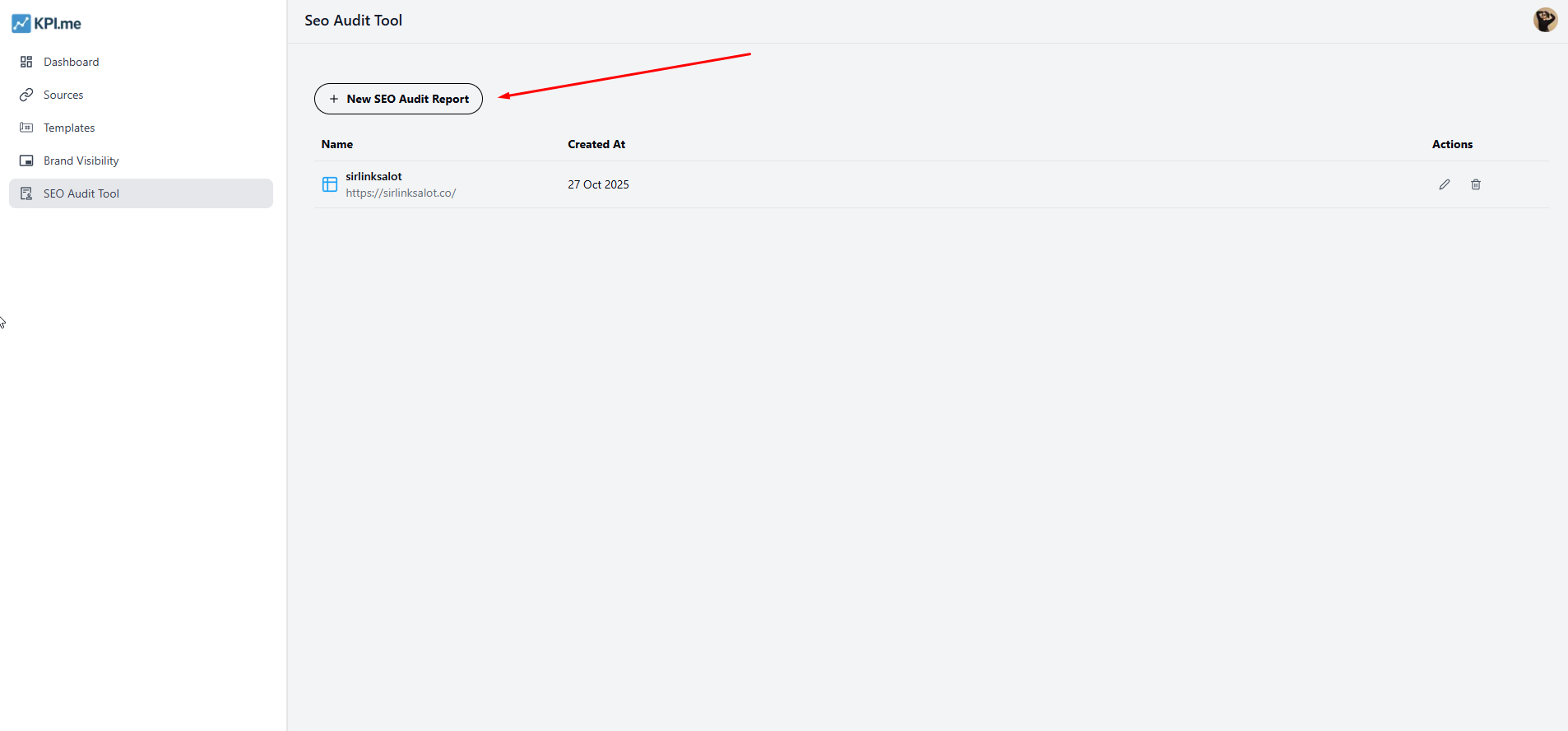
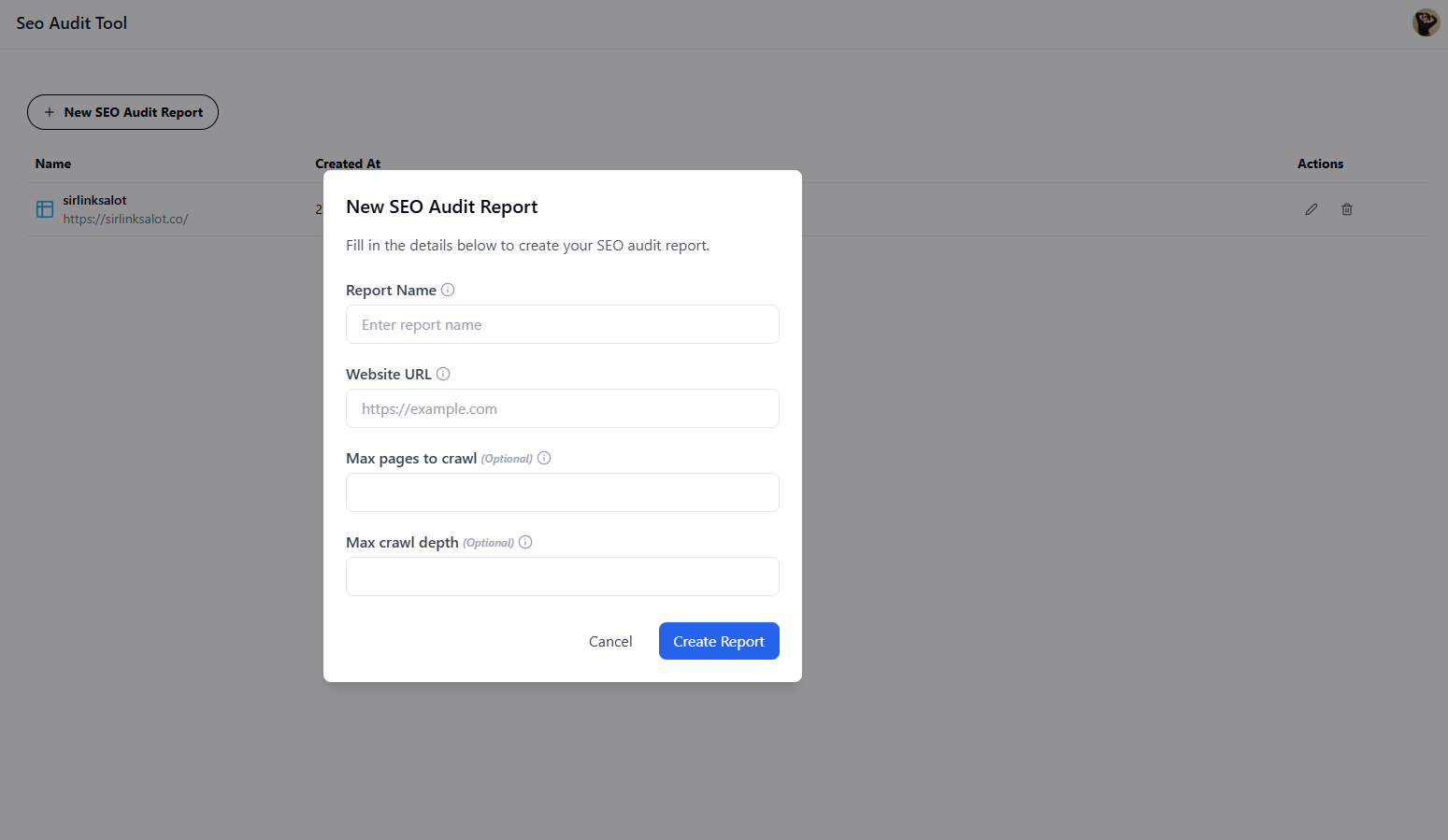
Creating your SEO Audit Report is super easy. Just fill in four simple fields and hit Create Report.
That’s it!
In just a few clicks, you’ll have a complete SEO audit report showing how your site’s performing. No complicated setup, no techy skills needed, smooth and easy interface, all for you.
You don’t need to be an SEO expert to use it.
This tool scans your site and instantly shows:
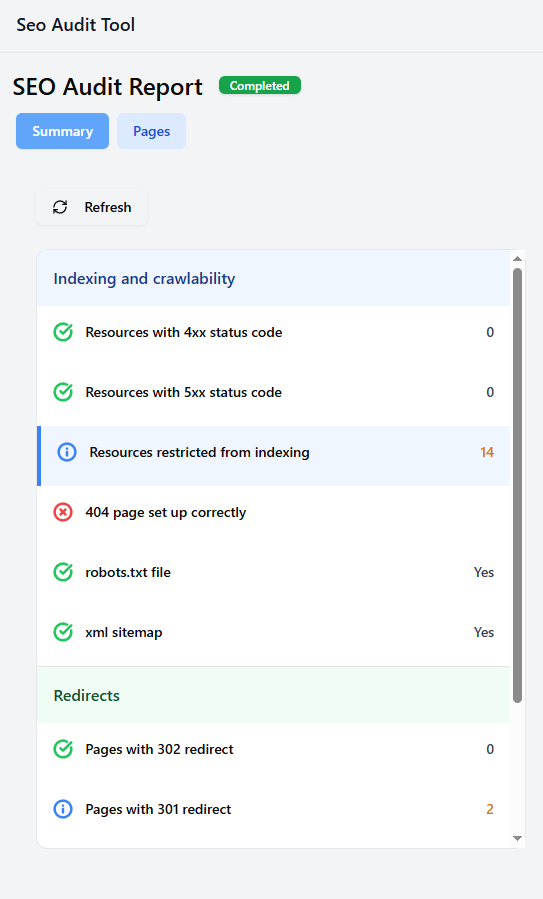
Everything’s color-coded, green for good, yellow for warnings, and red for issues, so you can tell quickly what needs attention.
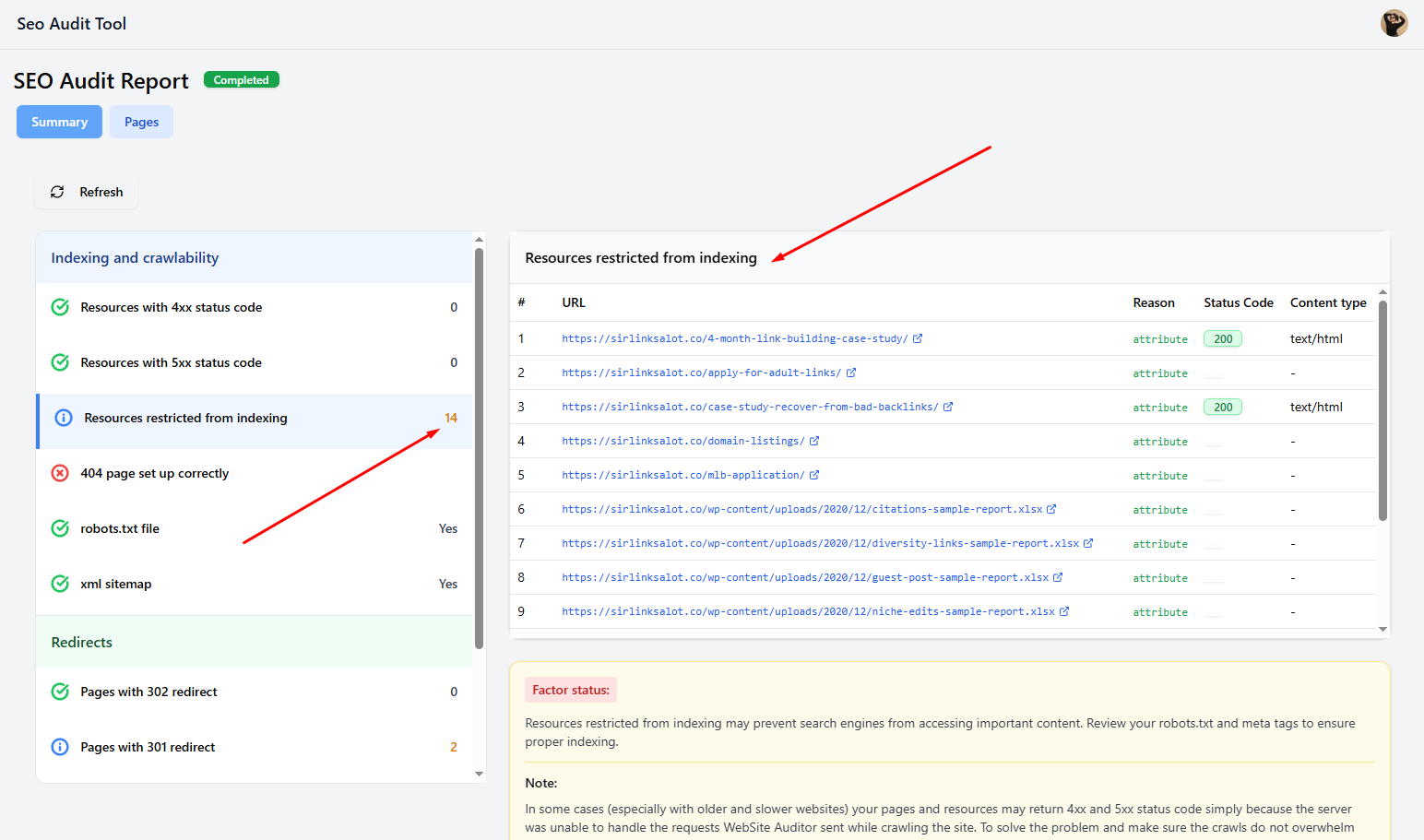
See how well your site can be crawled and indexed, check redirect setups, and spot technical errors that may block search engines from reading your pages.
Example:
If the report says “resources restricted from indexing – 14,” it means there are 14 pages that Google can’t access. The report will tell you exactly which ones and why.
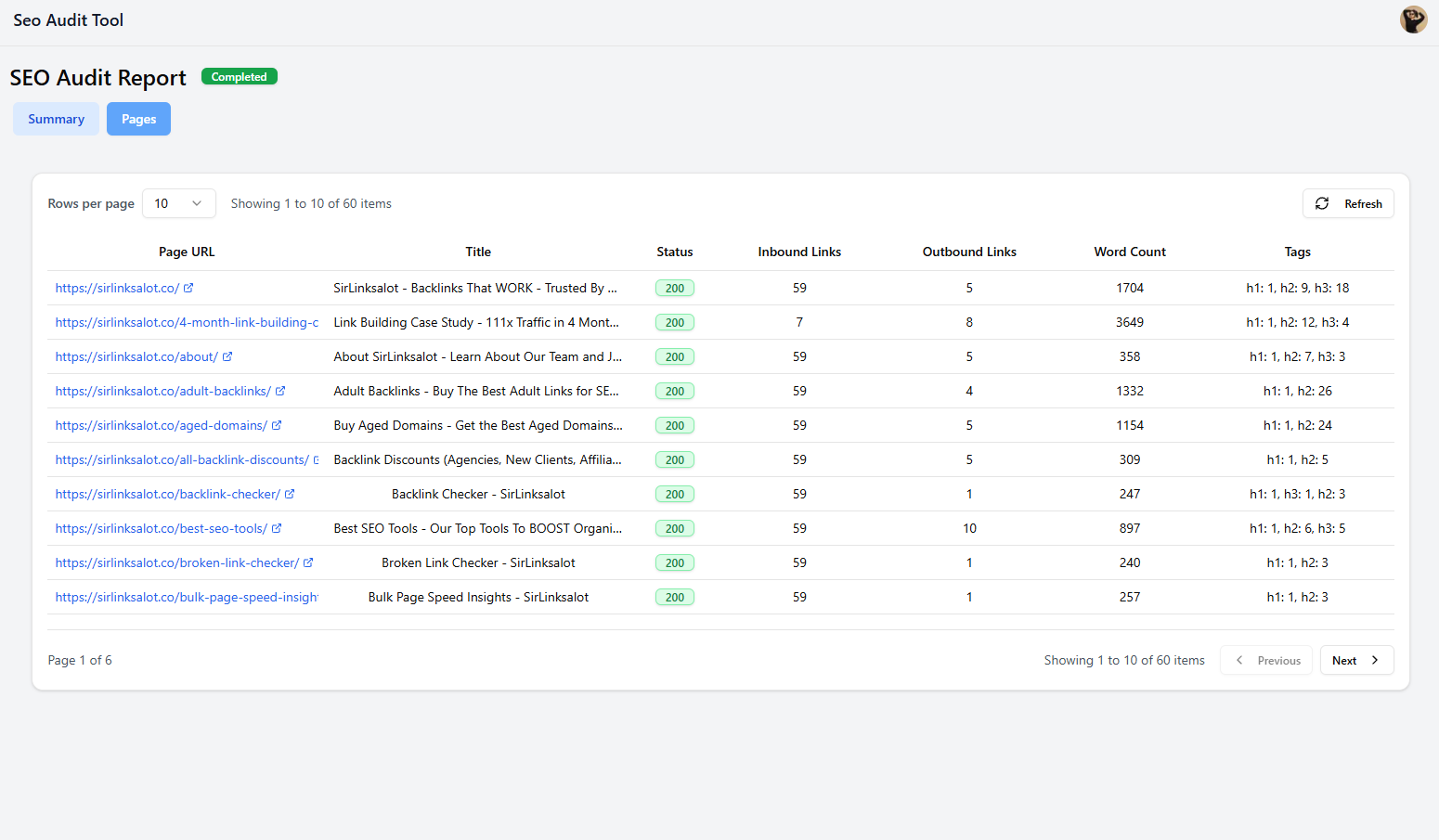
See key details like:
It’s like a quick health check for each page, helping you spot thin content, missing tags, or broken links in one place.
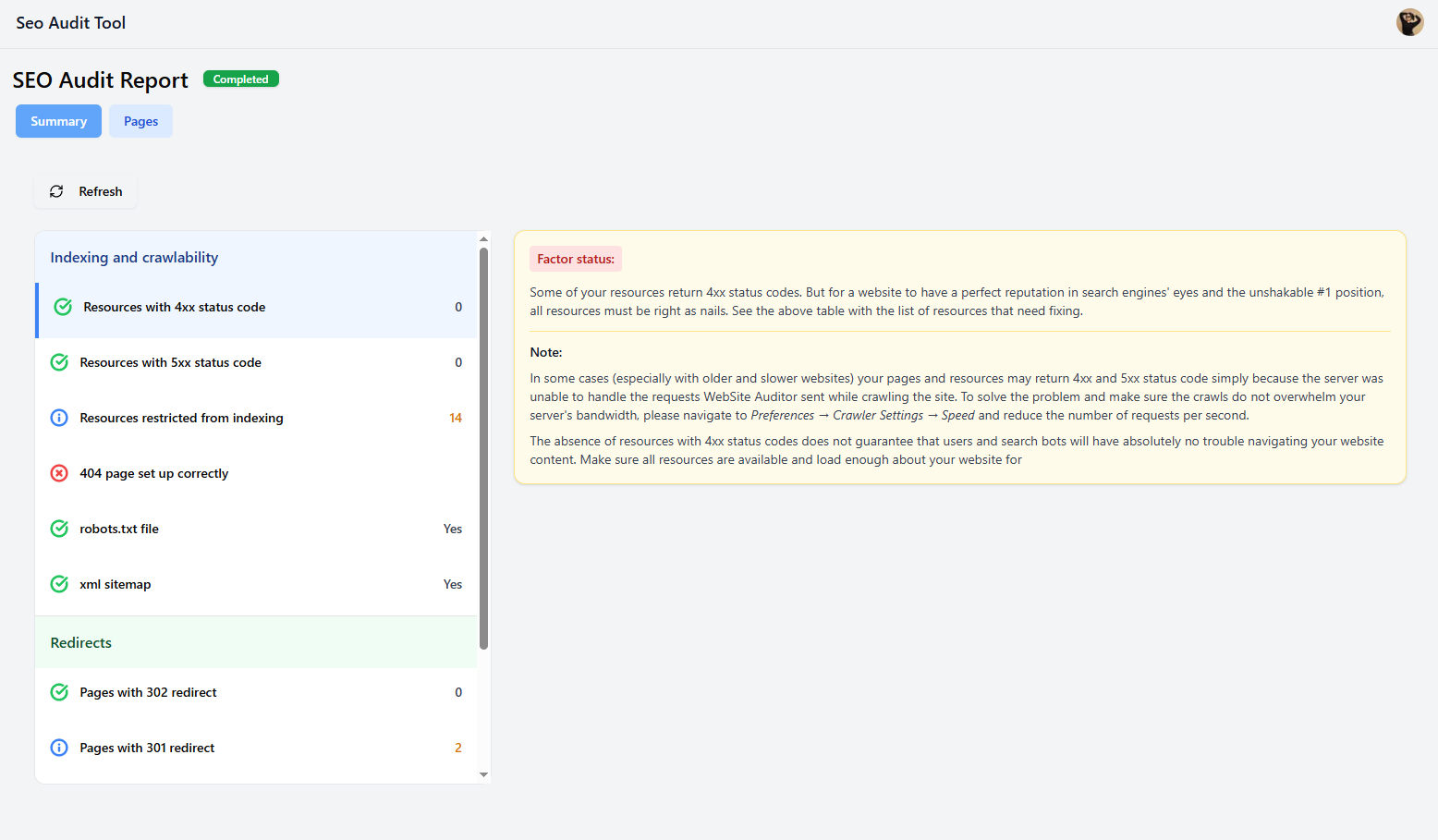
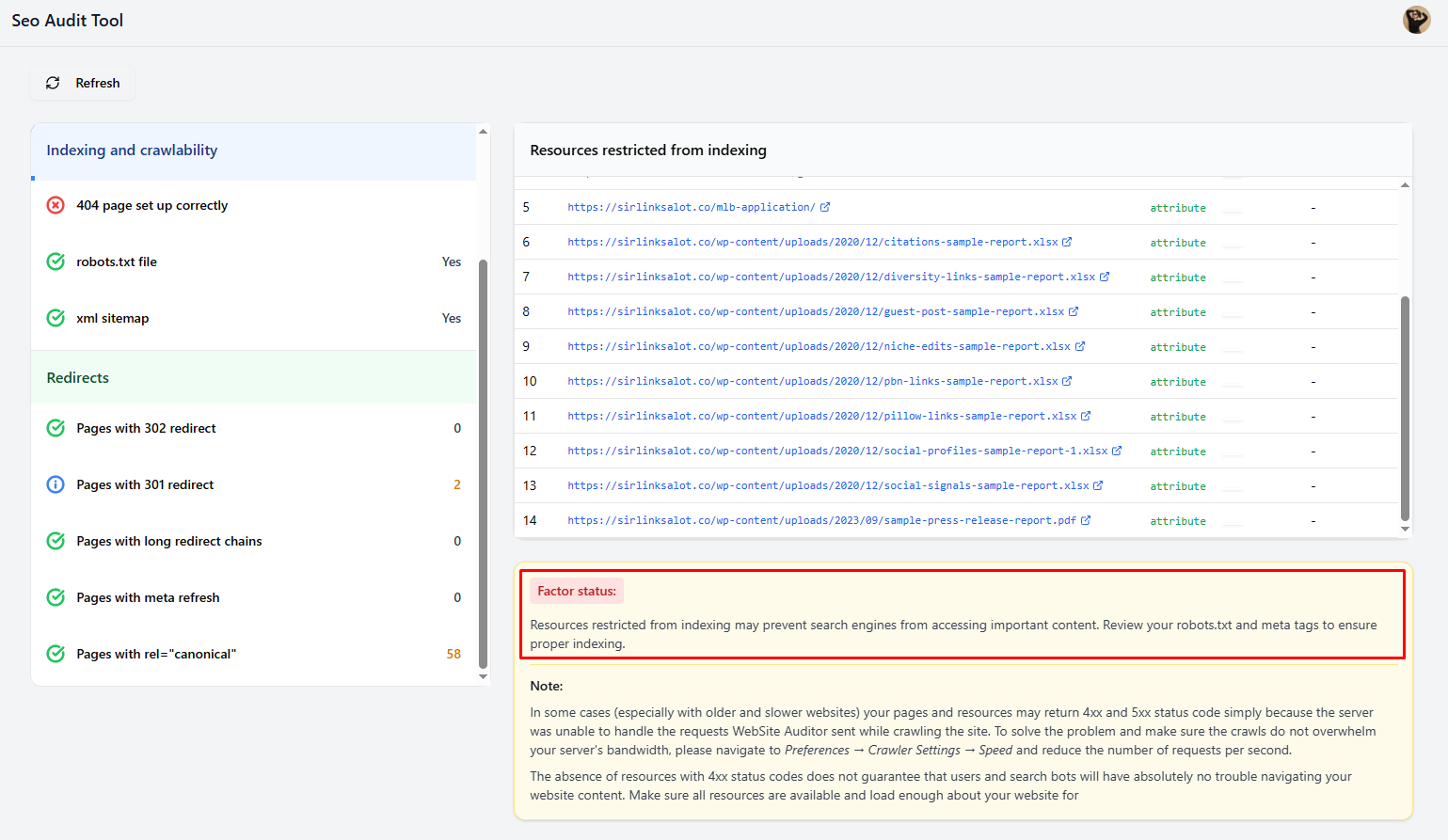
The SEO Audit Tool doesn’t just point out issues; it explains them in simple terms.
For example: “Resources restricted from indexing may prevent search engines from accessing important content. Review your robots.txt and meta tags to ensure proper indexing.”
You’ll also get helpful notes about how to fix crawl or speed issues, so you can improve your site right away.
Perfect For
See what’s helping or hurting your visibility, and fix it fast.
Run your first audit in just a couple of minutes with the SEO Audit Tool.