The Ultimate Link Building Performance Report for Marketing Agencies
As a marketing agency, proving the value of your link-building efforts is just as important as the work itself. You need a reliable way to show clients exactly how your campaigns are moving the needle and driving real business results.
To help you showcase your success clearly and effectively, here is a breakdown of the ultimate link-building performance report.
1. Backlink Authority Overview
These widgets establish the current strength and size of the client’s backlink profile—the very foundation of domain authority.
Total Referring Domains (Number)
This shows the total number of unique websites linking to the client’s site. This is the most important backlink metric because it indicates a diversity of trust and authority. Ultimately, more referring domains equal a stronger backlink profile.
Total Backlinks (Number)
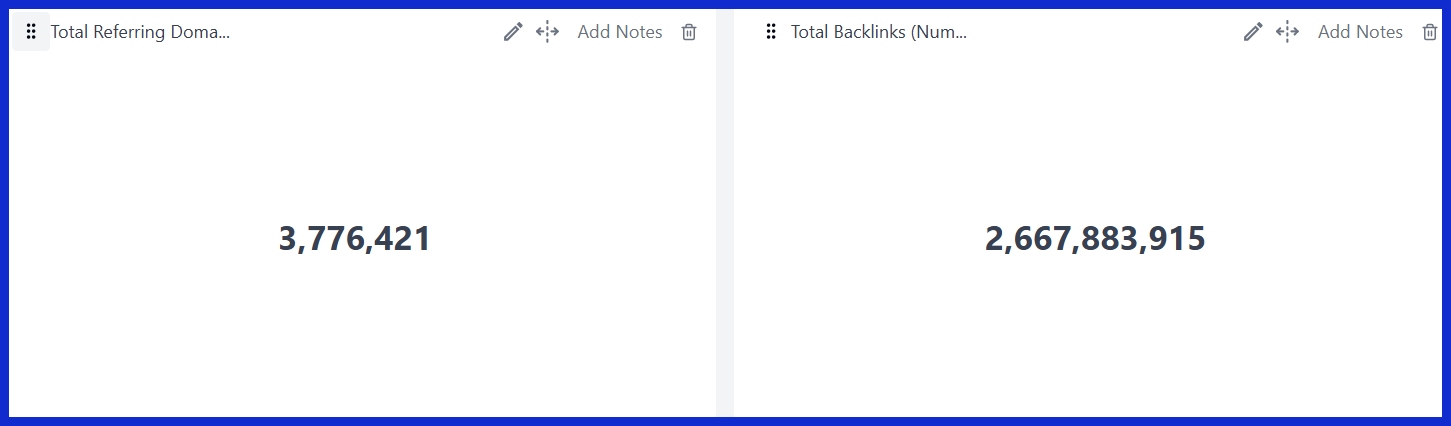
This is the total number of individual links pointing to the site. While highly useful, this number can sometimes be inflated by multiple links coming from the exact same domain, so it should always be viewed alongside Referring Domains.
Total Referring IPs (Number)

This metric shows exactly how many unique IP addresses host the sites linking to your client. A healthy profile features links coming from many different IPs, which indicates a natural link distribution rather than PBNs (Private Blog Networks).
2. Link Growth Velocity (What Happened This Month)
These widgets prove to your client that active link-building work is happening and showcase the tangible results of your agency’s efforts.
New Referring Domains (Number)
The count of brand-new websites that started linking to the client this month. This is a key performance indicator for active outreach campaigns.
Lost Referring Domains (Number)
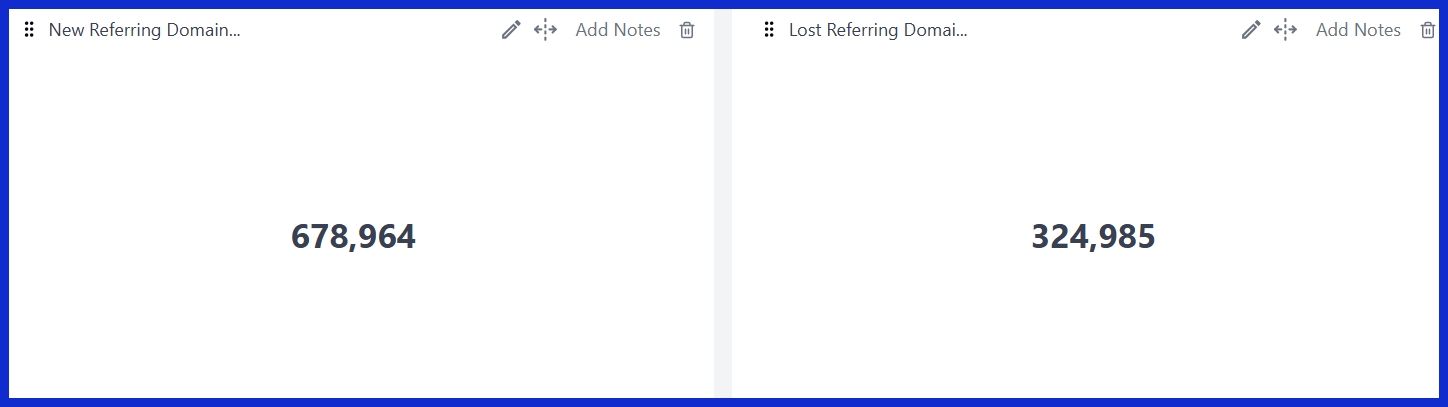
Websites that stopped linking to the client. Tracking this helps identify potential issues (e.g., site removals, content deletions) and shows the client that you’re actively monitoring their profile health, rather than just celebrating the wins.
New Referring Domains (List)
A detailed view showing exactly which websites added links. This is absolutely perfect for client presentations—they love seeing the actual names of high-authority sites that are now linking to them.
Lost Referring Domains (List)
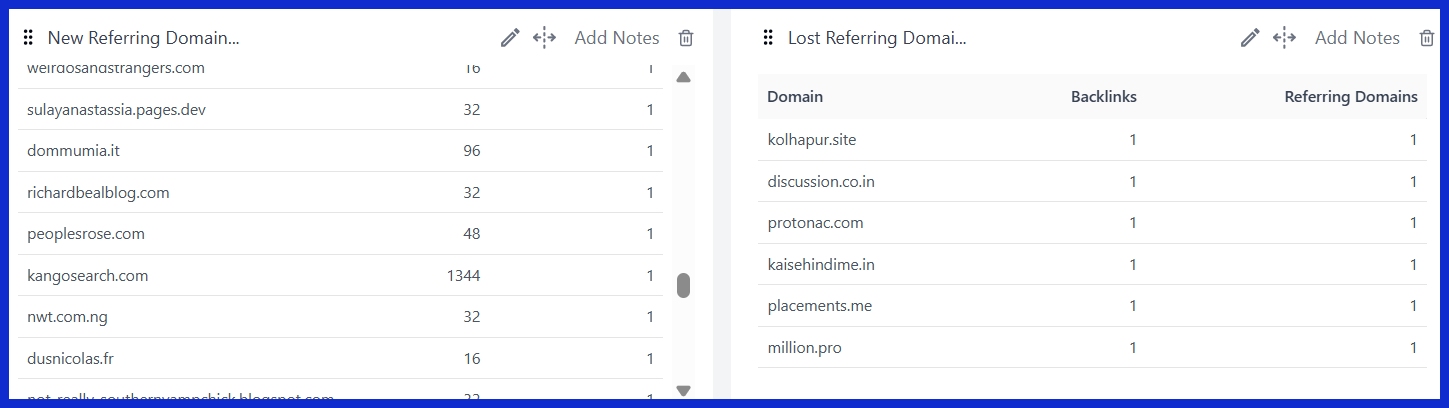
Providing transparency about which links disappeared. It builds incredible trust when you can explain exactly why a link was lost and what you’re doing to address it.
New Backlinks (List)
Individual new links, including the exact URL of the linking page and the specific anchor text used. This is great for showing the quality and context of the new links you’ve secured.
Lost Backlinks (List)

Individual links that were removed or broken. This helps identify patterns (for example, if all lost links are coming from a specific blog network).
3. Correlation with Search Visibility
This section connects your link-building activity to real changes in search performance—proving to the client that the work actually matters.
Avg Position (Site) [GSC]
Shows whether the site’s average ranking improved following your new link acquisitions. A downward trend (where a lower number means a better position) clearly indicates that link equity is flowing.
Total Impressions (Site) [GSC]
![Total Impressions (Site) [GSC]](https://kpi.me/wp-content/uploads/2026/03/image9.jpg)
An increase in impressions strongly suggests that your new links helped search engines discover and trust more pages, effectively expanding the site’s overall search footprint.
Top Clicks (Pages) [GSC]
This specifically highlights pages that received new backlinks. If “Page A” got 3 new links this month and its clicks subsequently increased by 40%, you can draw a direct line between your link-building work and the positive result.
4. Impact on Organic Traffic & Engagement
Rankings are nice, but traffic and engagement are what actually pay the bills. This section proves that your link building drives real business results.
Organic Search Traffic [GA4]
![Organic Search Traffic [GA4]](https://kpi.me/wp-content/uploads/2026/03/image8.jpg)
The ultimate proof: did more people visit the site from search after the link-building campaign started?
Users vs New Users [GA4]
Segmented specifically for organic traffic. This shows whether your link building is attracting brand-new audiences (discovery) or just bringing back existing users (retention). Ideally, you want to see growth in both.
Landing Page Performance (Organic Traffic) [GA4]
Specifically filtered for the pages that received new backlinks. This perfectly isolates the impact, allowing you to say: “Here are the pages we built links for, and here is exactly how their organic traffic grew.”
Engagement Rate (All Traffic) [GA4]
![Engagement Rate (All Traffic) [GA4]](https://kpi.me/wp-content/uploads/2026/03/image3.jpg)
Or filtered specifically for organic traffic. This proves that the traffic coming from new links isn’t just high in quantity—it’s high in quality. Visitors arriving from good links tend to trust the site more and engage for longer periods.
5. Bonus: Competitive Context
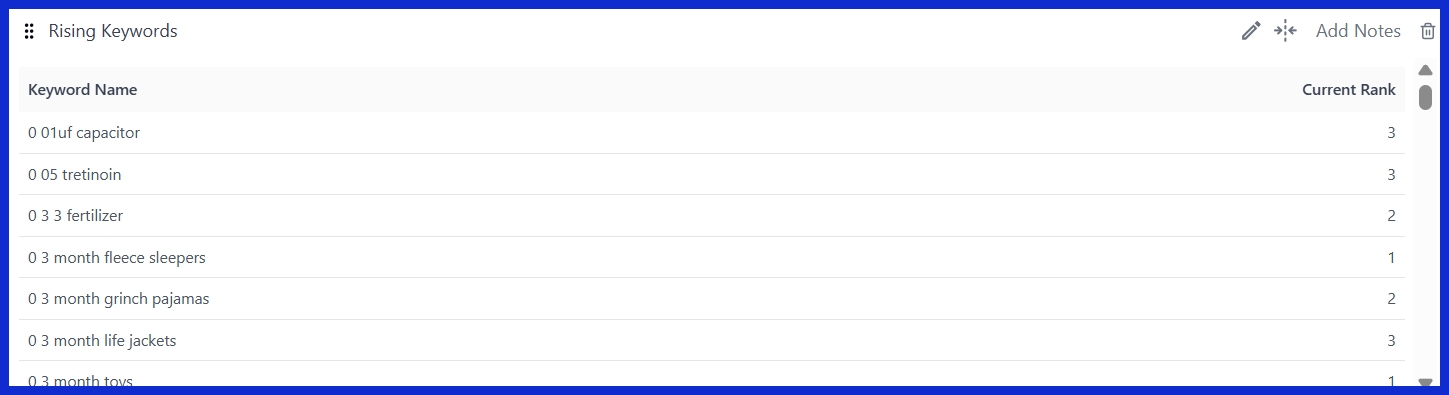
Rising Keywords
New link equity often helps pages rank for entirely new terms or significantly improve positions for existing terms. Rising keywords serve as a great leading indicator that the “link juice” is actively being recognized and rewarded by search algorithms.
Conclusion
At the end of the day, link building is an investment, and your clients want reassurance that their budget is being put to good use. By structuring your performance reports around these key metrics using a platform like KPI.me, from the raw growth of referring domains to the bottom-line impact on organic traffic and engagement—you do more than just hand over a spreadsheet of raw data.
You tell a clear, compelling story of growth, authority, and return on investment. When clients can draw a direct line between your active outreach efforts and their business success, it builds undeniable trust. They won’t just see you as an agency they hired; they will see you as an indispensable partner in their long-term growth.